Slow-Motion 360 Photo Booth for Share-Ready Event Clips
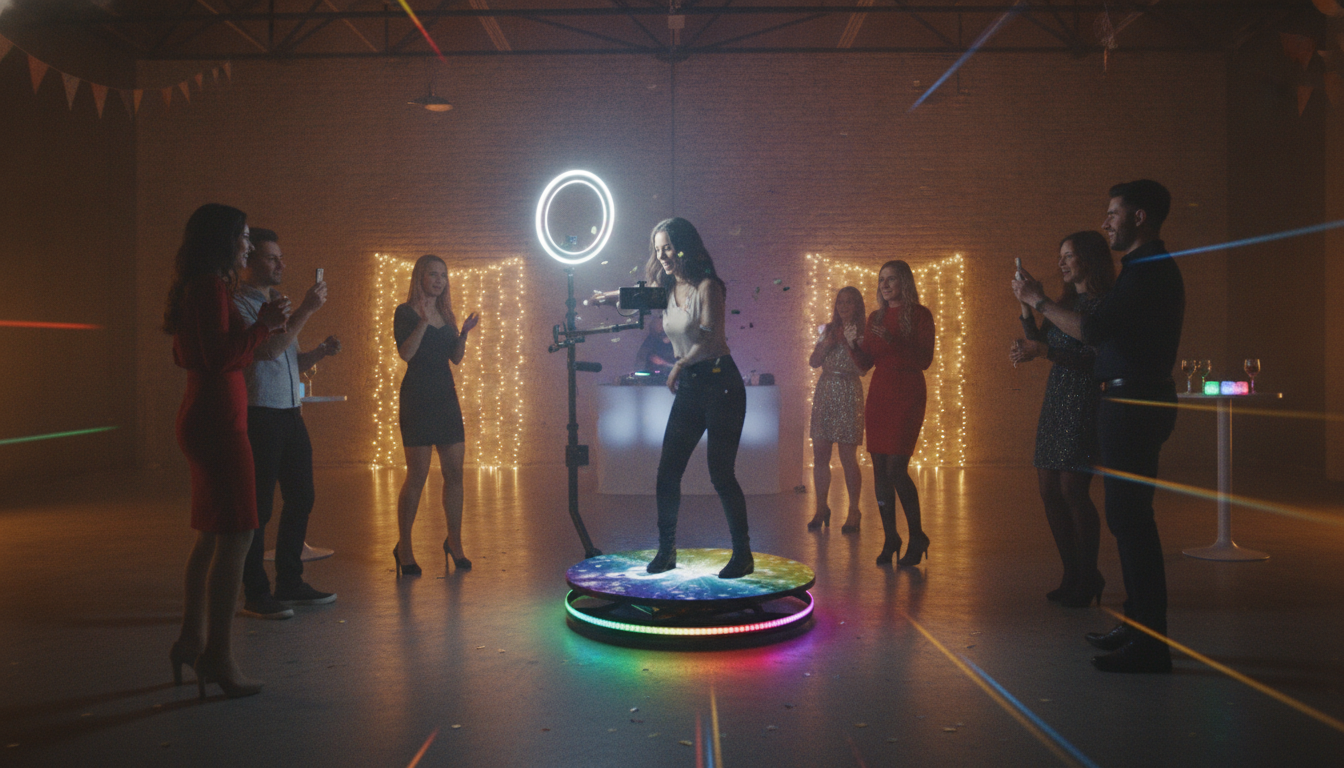
Slow Motion 360 Photo Booth: Create Cinematic Event Clips Guests Share Instantly
A slow motion 360 photo booth captures short, high-energy moments in dramatic slow motion while a camera rotates around guests, producing a polished clip that looks like a music-video shot. It’s a crowd magnet for weddings, brand activations, and parties because it combines an interactive experience with instantly shareable content.
What a slow motion 360 booth captures
A slow motion 360 setup is built to make quick actions look intentional, stylish, and surprisingly premium—without asking guests to “act.”
- A rotating camera arm or platform-based system that circles guests to create a full 360° perspective.
- Slow-motion recording (often 60–240 fps) that turns quick movements—hair flips, confetti bursts, champagne pops—into smooth cinematic highlights.
- Short-form outputs optimized for social sharing (vertical, square, or horizontal) with optional overlays such as event name, date, or logo.
360 booth vs. classic photo booth vs. slow-motion 360
Not all “booth moments” land the same. The best choice depends on whether the goal is prints, movement, or cinematic impact.
- Classic booths excel at quick prints and simple setup, but lack motion storytelling.
- Standard 360 booths add movement and energy, but not the dramatic slow-motion look.
- Slow-motion 360 is designed for impact moments and branded content, with more attention to lighting, stabilization, and processing speed.
Quick comparison of common booth experiences
| Experience type | Best for | Typical output | Space needed | Wow factor |
|---|---|---|---|---|
| Classic enclosed/open-air booth | Print strips, simple portraits | Still photos + templates | Small to medium | Medium |
| Standard 360 booth | Dance moves, group spins | Real-time 360 video | Medium to large | High |
| Slow-motion 360 booth | Confetti, props, cinematic clips | Slow-motion 360 video + effects | Medium to large | Very high |
Key components that determine video quality
The difference between “fun clip” and “cinematic replay” usually comes down to a few non-negotiables.
- Camera and frame rate: higher fps enables smoother slow motion; final playback often uses 24/30 fps for cinematic feel. For a helpful technical overview of frame rate standards, see SMPTE.
- Stabilization and balance: a well-balanced rotating arm and secure mounting reduce wobble and motion blur.
- Lighting: bright, flicker-free LED lighting improves sharpness at high shutter speeds (important for slow motion).
- Platform size and load: choose a platform suited to typical group size and weight capacity for the event types served.
- Software workflow: templates, overlays, auto-export, and QR/AirDrop-style delivery reduce lines and increase sharing.
Setup essentials for smooth event operation
A slow motion 360 booth runs best when the physical setup and the guest flow are treated like a mini production set.
- Space planning: allow room for the rotating arm clearance plus a safe buffer zone; keep cables taped down and traffic flow obvious.
- Backdrop strategy: clean, well-lit backgrounds look premium; branded step-and-repeat works well for corporate activations.
- Lighting placement: position lights to minimize harsh shadows and keep faces evenly lit through the full rotation.
- Audio and effects: optional music, slow-motion sound design, confetti/fog (venue-permitting) can elevate the final clip.
- Connectivity: plan for on-site Wi-Fi or offline delivery options; test QR links and upload speed before doors open.
Best moments and prop ideas for slow motion
Slow motion rewards props that create clear “trails” and readable motion. Keep it simple and repeatable so every group gets a great result.
- Confetti cannons, bubble machines, and streamers create motion trails that read clearly in slow motion.
- Light props (LED wands, glow sticks) add dynamic streaks without requiring messy cleanup.
- Simple choreography prompts reduce awkwardness: “step in, pose, toss, cheer” keeps clips consistent.
- For weddings: veil twirls, bouquet toss simulations, champagne spray (only if allowed).
- For brands: product-in-hand hero pose, logo signage in frame, coordinated color props.
Choosing the right slow-motion look (without overcomplicating it)
More frame rate can look amazing, but reliability matters more than chasing extreme settings that slow the line down.
If your team edits or polishes clips after capture, Adobe’s guide to handling high frame rate footage is a practical reference: Adobe Premiere Pro – Help Center.
Delivery, sharing, and branding options guests actually use
Care, safety, and troubleshooting basics
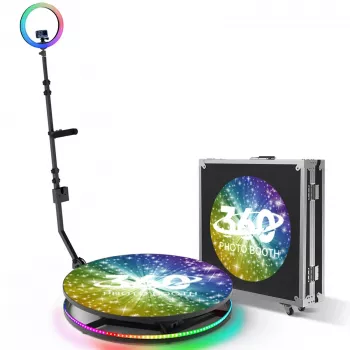
Featured option: Slow Motion 360 Photo Booth
More event-friendly additions (optional, but practical)
- Living Room Outdoor Family Shelter Tent for outdoor events where guests need shade or a controlled area for lighting consistency.
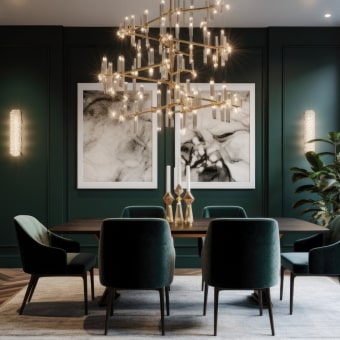
- Elegant Art Deco-Inspired Crystal Branch Chandelier for Dining Room as a statement decor piece that elevates the atmosphere around VIP lounges or indoor cocktail spaces.
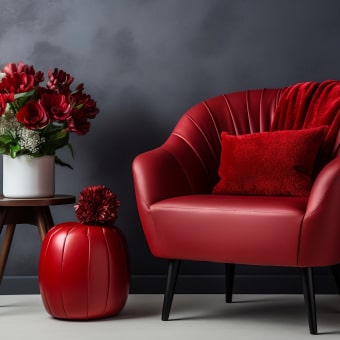
- Nordic Rattan Leisure Single Sofa Chair – Solid Wood, Modern Fabric Design to style a nearby waiting area so lines feel intentional instead of crowded.
FAQ
How many people can use a 360 slow-motion booth at once?
It depends on the platform size and weight capacity, but most setups work best for one person, a couple, or a small group that can stay centered. Staying within the rated limits keeps the rotation safe and helps framing look clean in every clip.
Does slow motion require special lighting?
Yes—higher frame rates typically require brighter, flicker-free lighting because the camera uses faster shutter speeds to keep frames sharp. More light reduces motion blur and noise, which is especially noticeable in slow-motion playback.
What’s the best frame rate for event slow-motion clips?
For most venues, 60–120 fps is the practical sweet spot for smooth slow motion and fast sharing. 240 fps can look dramatic, but it usually demands stronger lighting and may increase processing time and storage needs.









Leave a comment